


1. Download MongoDB .
2. Extract the downloaded zip to a directory say,


2. Extract the downloaded zip to a directory say,
C:\mongodb-win32-x86_64-2.4.2
3. set path ( C:\mongodb-win32-x86_64-2.4.2\bin ) in environment variable ( Optional )
4. Mongo requires a data directory to store its files . Default location is C:\data\db. Create these folders.
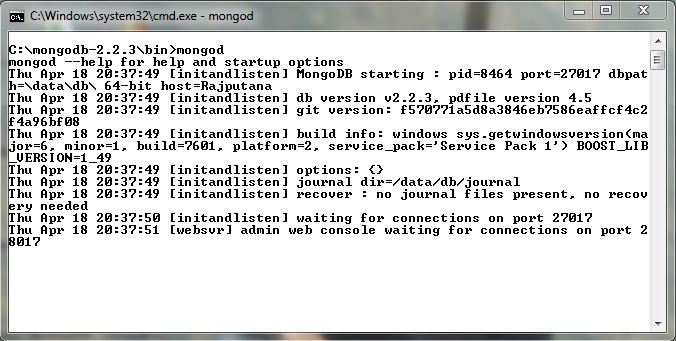
5. Start MongoDB in command prompt. mongod.exe is present in the bin directory of the distribution.
6.Connect to MongoDb using Mongo shell in a new command prompt.

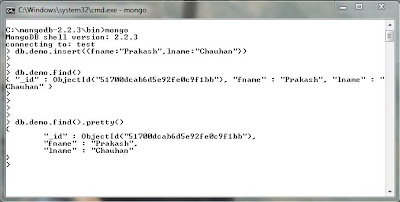
Now you can insert data in mongo db . Below is an example .

